One Kitchen. Everyone’s Phones.
Recipes, the week’s plan, one live grocery list, on every phone in the house. Check off eggs in the store and they vanish everywhere.
Free recipe box, meal planning and shared shopping. iPhone, iPad and Android work together. Import limits & Plus explained.
See the recipe box, shared list and weekly plan in action.
Made for the Whole Household, on Every Phone
The recipe is on one person’s phone. The grocery list is in a text thread. Helpings gives everyone you invite the same recipe box, meal plan and shopping list, with their own account. Partners, families and housemates can share a kitchen across iPhone and Android.
One Grocery List, Live on Every Phone
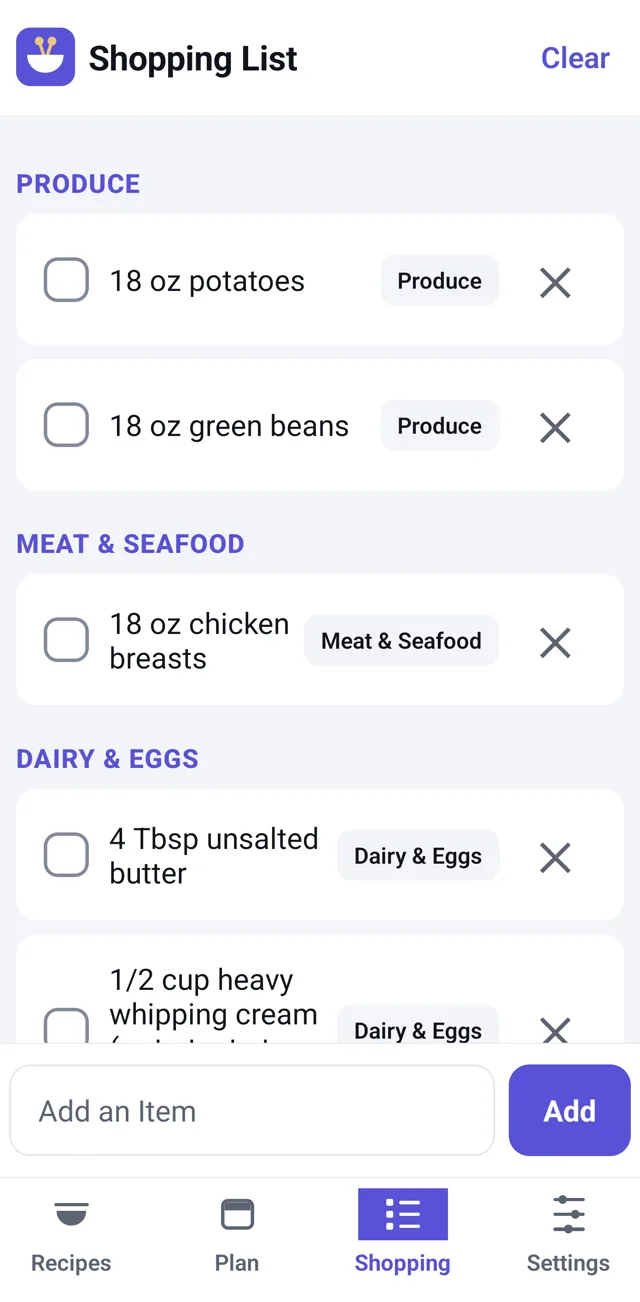
Add an item at home and it shows up on your partner’s phone at the store, in your store’s aisle order. Check it off and it’s gone for everyone. No screenshots, no “did you grab milk” texts.
Keep the Recipe, Scale for Tonight
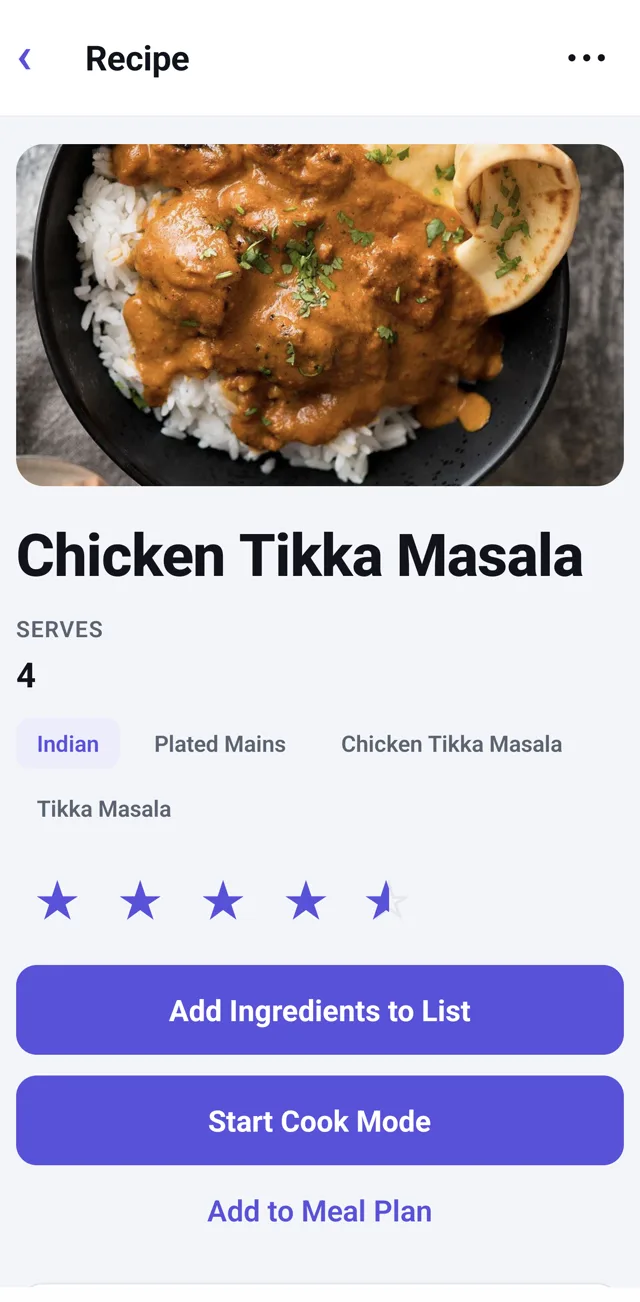
Helpings saves the source recipe and its original yield as written. Change the serving scale on the recipe screen when you need it without overwriting the source.
Start With a Link or a Recipe Photo
Turn a supported recipe link, cookbook page or recipe-card photo into a draft. Check the ingredients and steps against the original, then save it to your shared box. Import allowances vary by method and platform.
A Recipe Box With a Memory
Everything you save lands in one shared box, with each person’s ratings, notes, and a “last made 3 weeks ago” history. When nobody remembers what everyone liked, the box does.
Plan the Week Once
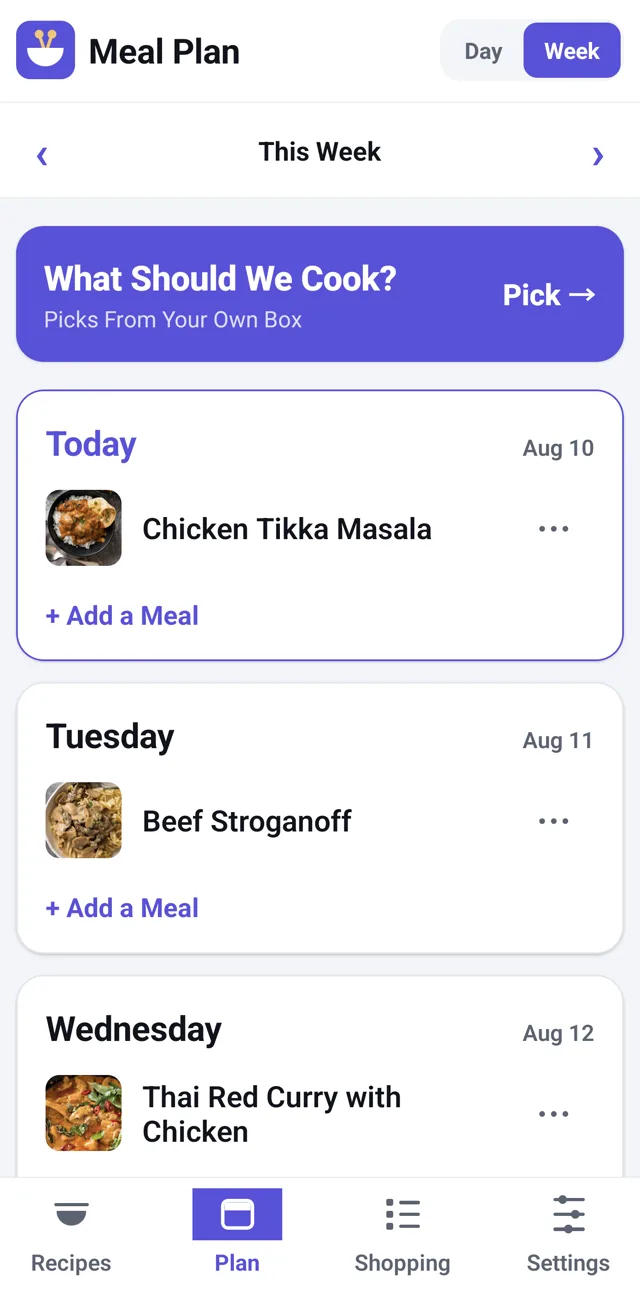
Drop meals onto the week, then one tap adds every ingredient to the shared list with quantities merged. The other six nights, dinner’s already decided.
Cook Mode That Holds Your Place
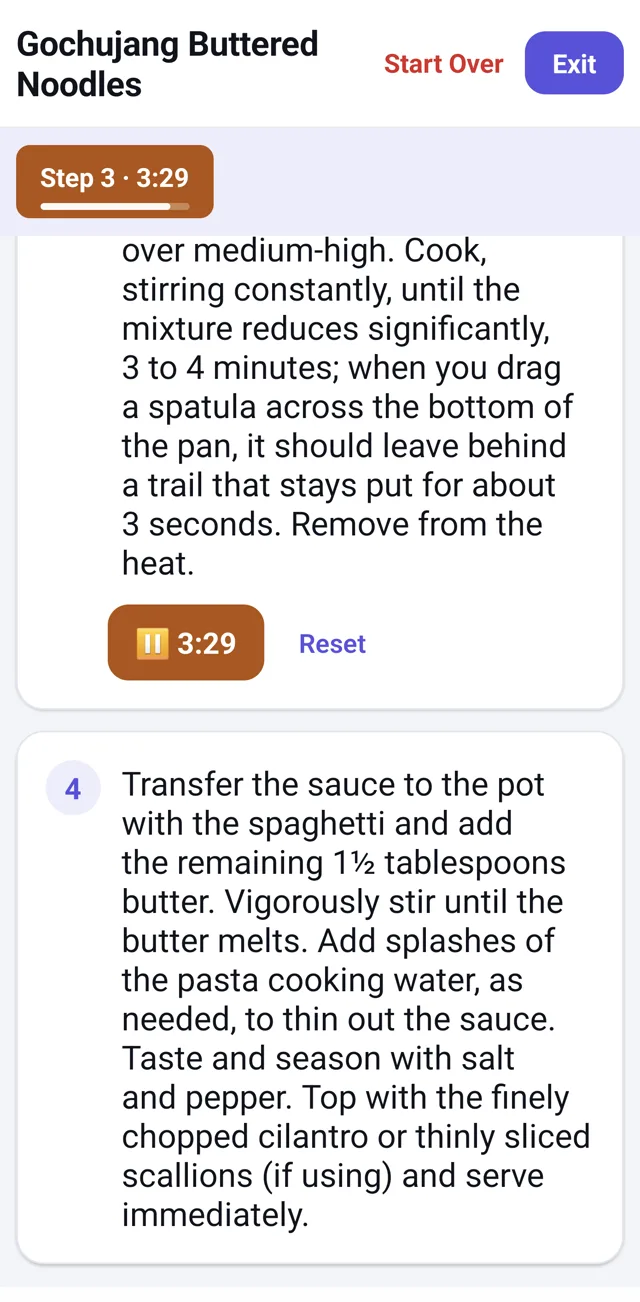
Big readable steps and built-in timers keep the recipe focused while you cook. It keeps working through a WiFi blip mid-cook.
Straight From the App
Explore the recipe, cooking, shopping and planning screens before you install.
Start with your next dinner.
Create your kitchen
Install Helpings, create your own account and set up a kitchen for your household.
Invite your people
Send an invitation from Settings. Each person signs in with their own account and joins your kitchen, on iPhone or Android.
Plan a meal. Share the list.
Save a recipe, put it on the plan and add its ingredients to the shopping list. Everyone in the kitchen can help.
Before you download
What can we use for free?
Your shared recipe box, manual recipe entry, meal planning, shopping list and kitchen export are free. AI-assisted link, photo and social imports have allowances that vary by method and platform. Imports may be unavailable when a limit is reached; you can still add recipes by hand.
What does Helpings Plus change?
On Android, Plus adds eligible social imports and expands the photo-import allowance. It is optional: the shared recipe box, plan and shopping list remain free. The current iPhone and iPad app uses its standard allowance; buying Plus on the web does not increase it. Check the current offer and your platform before purchasing.
Can iPhone and Android users share the same kitchen?
Yes. Everyone uses their own account and joins through a kitchen invitation. You share recipes, the meal plan and the grocery list, without sharing a password. After installing, return to the invitation to join the right kitchen.
Can I bring recipes I already have?
Yes. Add a recipe by hand, import a supported web link or read a recipe photo into a draft. You can also import a Paprika .paprikarecipes export from Settings. Always review imported ingredients, amounts and steps before cooking.
Do we need an internet connection?
You need a connection to sign in, import recipes and sync changes with your household. A recipe already loaded in Cook Mode can stay open through a connection drop. Allow changes to sync before relying on another person’s shopping list.
Where do our recipes and photos go?
Helpings stores kitchen data in the cloud so invited members can share it. Some imports send the selected page text or photos to an AI service. You can export supported kitchen data and delete your account in Settings. Read the privacy policy for photo storage, diagnostic reports, processing and deletion details.
Get Helpings on your phone
Free on iPhone, iPad, and Android. Get your household cooking from the same box tonight.
Occasional product updates
We email when a real feature ships, and not otherwise.